
Overview
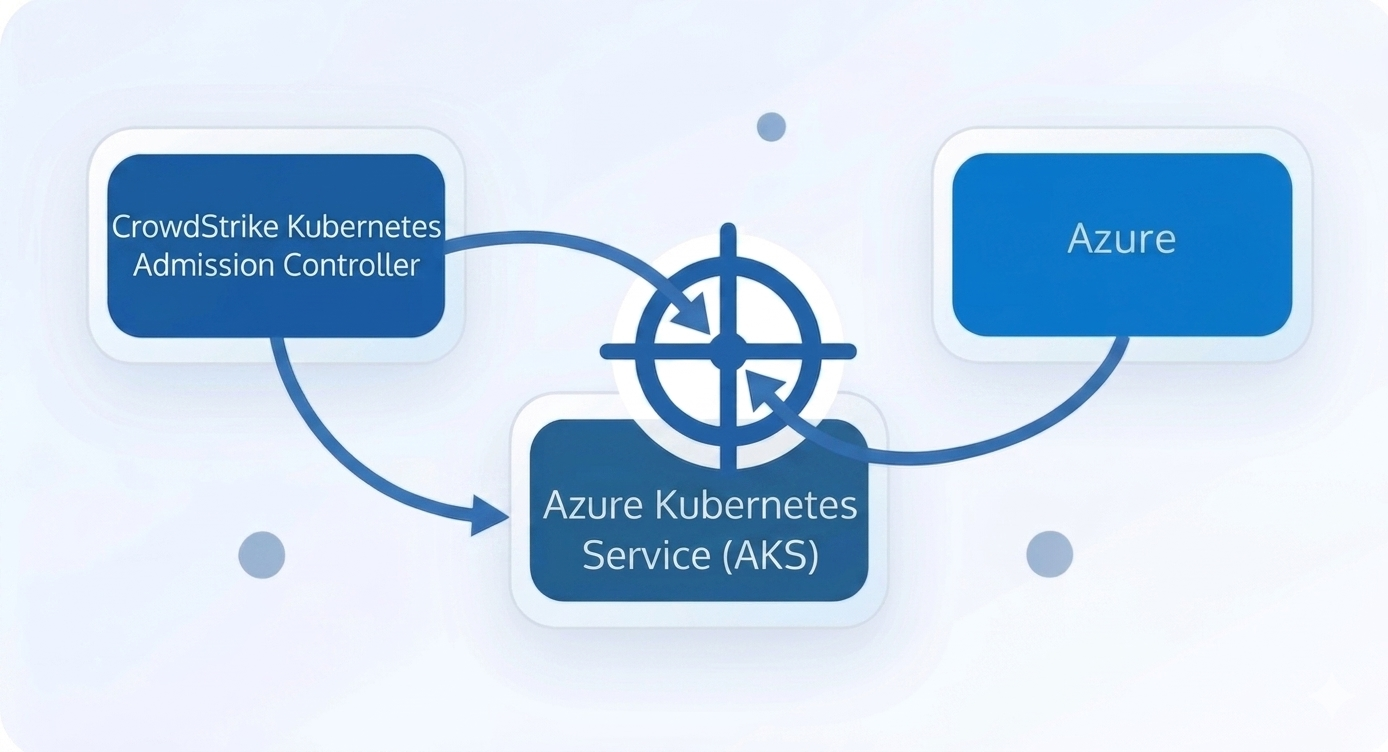
This guide walks through the clean deployment of CrowdStrike Falcon KAC, the Kubernetes Admission Controller, on Azure Kubernetes Service. It is optimized for Windows PowerShell users who leverage WSL for shell scripting and Helm package deployment.
Pre-Requisites
Prepare your environment before deployment:
- Azure Kubernetes Service (AKS) cluster online and accessible
- PowerShell installed on the host machine
- WSL available to run the Falcon pull script
- CrowdStrike Falcon credentials: FALCON_CLIENT_ID and FALCON_CLIENT_SECRET
- Helm installed and configured for your AKS cluster
kubectlconfigured for the target AKS namespace
Step 1: Download Crowdstrike Falcon Script
Download the CrowdStrike Falcon Sensor deployment script from the official repository. It interacts with the CrowdStrike API to authenticate, fetch, and pull the latest Falcon Container Sensor image directly from CrowdStrike’s private container registry into your local environment.
Invoke-WebRequest `
  -Uri "https://github.com/CrowdStrike/falcon-scripts/releases/latest/download/falcon-container-sensor-pull.sh" `
  -OutFile "falcon-container-sensor-pull.sh"
Change permission to make it executable:
wsl chmod +x falcon-container-sensor-pull.shStep 2: Remove Old Polluted Variables
Reset any existing Falcon variables before you regenerate values. This avoids credential collisions and stale image configuration.
Remove-Variable FALCON_CID -ErrorAction SilentlyContinue

Remove-Variable FALCON_KAC_FULL_PATH -ErrorAction SilentlyContinue

Remove-Variable FALCON_KAC_IMAGE_REPO -ErrorAction SilentlyContinue

Remove-Variable FALCON_KAC_IMAGE_TAG -ErrorAction SilentlyContinue

Remove-Variable FALCON_IMAGE_PULL_TOKEN -ErrorAction SilentlyContinue
Step 3: Declare Falcon KAC Credentials
Use separate CrowdStrike KAC credentials to keep this deployment isolated from Falcon Sensor configuration.
$env:FALCON_CLIENT_ID="YOUR_CLIENT_ID"

$env:FALCON_CLIENT_SECRET="YOUR_CLIENT_SECRET"
Step 4: Regenerate KAC Values
Run the Falcon container pull script from WSL to obtain the KAC CID, image path, and registry pull token.
$FALCON_CID = wsl bash -c "./falcon-container-sensor-pull.sh -u $env:FALCON_CLIENT_ID -s $env:FALCON_CLIENT_SECRET -t falcon-kac --get-cid"

$FALCON_KAC_IMAGE_FULL_PATH = wsl bash -c "./falcon-container-sensor-pull.sh -u $env:FALCON_CLIENT_ID -s $env:FALCON_CLIENT_SECRET -t falcon-kac --get-image-path"

$FALCON_IMAGE_PULL_TOKEN = wsl bash -c "./falcon-container-sensor-pull.sh -u $env:FALCON_CLIENT_ID -s $env:FALCON_CLIENT_SECRET -t falcon-kac --get-pull-token"
Verify the generated values before continuing:
$FALCON_CID

$FALCON_KAC_IMAGE_FULL_PATH

$FALCON_IMAGE_PULL_TOKEN
Step 5: Split Image Repo and Tag
Extract the image repository and tag from the full image path for Helm values.
$FALCON_KAC_IMAGE_REPO = $FALCON_KAC_IMAGE_FULL_PATH.Split(":")[0]

$FALCON_KAC_IMAGE_TAG = $FALCON_KAC_IMAGE_FULL_PATH.Split(":")[1]
Step 6: Create Values File for Falcon KAC
Build the Helm values file using the validated CID, image repository, tag, and registry token.
@"
falcon:
  cid: "$FALCON_CID"
  tags: kac,cloud-lab

image:
  repository: "$FALCON_KAC_IMAGE_REPO"
  tag: "$FALCON_KAC_IMAGE_TAG"
  registryConfigJSON: "$FALCON_IMAGE_PULL_TOKEN"
"@ | Out-File falcon-kac-values.yaml -Encoding utf8
Confirm the file was created successfully:
Get-Content falcon-kac-values.yamlStep 7: Deploy Falcon KAC on AKS
Install or upgrade the Falcon KAC Helm chart in a dedicated namespace.
helm upgrade --install falcon-kac crowdstrike/falcon-kac `
  -n falcon-kac --create-namespace `
  -f falcon-kac-values.yaml
Step 8: Verify Deployment
Check the Falcon KAC pods, namespace, and logs to confirm the deployment succeeded.
kubectl get pods -n falcon-kac -o wideReview pod details for readiness and events:
kubectl describe pod <falcon-kac-pod-name> -n falcon-kacInspect logs for startup status and admission controller activity:
kubectl logs <falcon-kac-pod-name> -n falcon-kacNeed help with deployment?
Contact us for tailored help with your CrowdStrike KAC and AKS setup.
Important Notes
- Always use separate KAC credentials from the Falcon Sensor credentials for clean isolation.
- If the Helm chart fails, verify the registry token and image path values in
falcon-kac-values.yaml. - Use
kubectl get namespace falcon-kacto confirm the namespace exists.